My automated advent calendar with WordPress and Elementor: Peek behind the scenes of my advent calendar and pick up my tips for putting 24 doors on autopilot 🤖
Automate it, baby!
Work smarter, not harder. That’s the motto behind the way I build my online advent calendar. The idea is to have it practically running itself throughout December, while I sit back with a plate of Lebkuchen (those delicious German gingerbread biscuits) and enjoy the festive season. Well, at least as far as my advent calendar is concerned 😉
In this post, I’m taking you behind the scenes to show you how my fully automated advent calendar works from a technical point of view. From the landing page and email automation to the little door that opens all by itself, bang on midnight.
I’ve been running my digital advent calendar since 2020. It started out as a collaboration, but for the past few years I’ve been doing it all myself, on my own website, with a strong focus on WordPress and Elementor.
The theme changes every year. In 2025, for example, Happy Webvent featured 24 ideas to help you build a business website that actually works for you. With each door, participants could work on specific pages, subpages and sections of their website, making targeted improvements without getting bogged down in technical headaches or feeling they had to turn their entire website upside down.
In 2026, Happy Webvent is all about clever marketing hacks for a website that actively supports your marketing and helps you attract more enquiries.
The themes of my advent calendar may change, but one thing stays exactly the same: the technical setup behind it. And that’s what we’re going to take a closer look at now.
The technical setup
My tools of choice
I actually don’t need that many different tools to run my advent calendar. Here’s what I use:
- WordPress as my content management system
- Elementor Pro* as my page builder
- MailerLite for email automation
- Vimeo for video hosting
*Affiliate link. If you buy something through this link, it won’t cost you a penny extra, but I may earn a small commission. And where does that money go? Straight into my Galão project 😊
The beauty of it is that these four tools work together really well. And once you’ve got the basic setup in place, you can reuse it year after year. More on that later.
The landing page: Where it all begins
It all starts with the landing page. This is where visitors find all the important information about the advent calendar, along with the signup form.
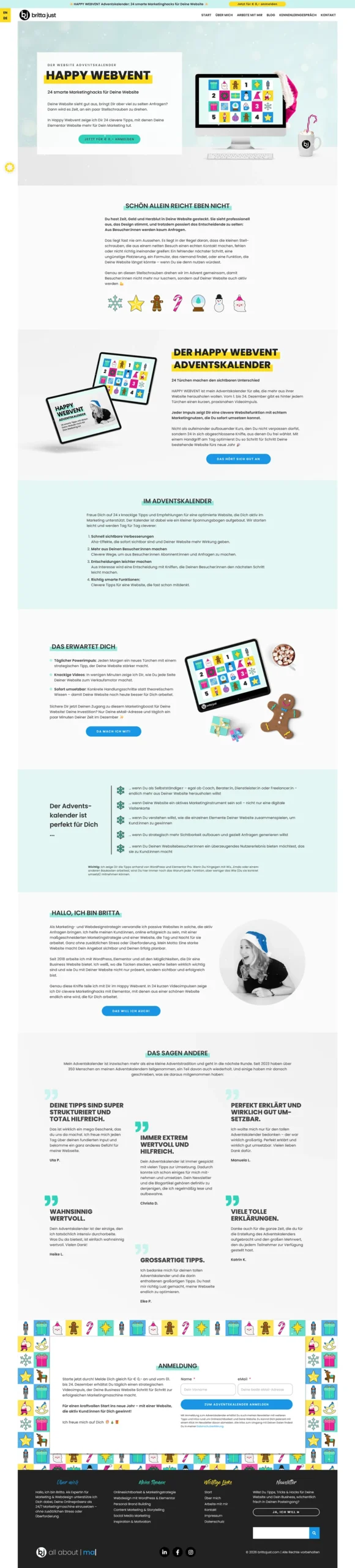
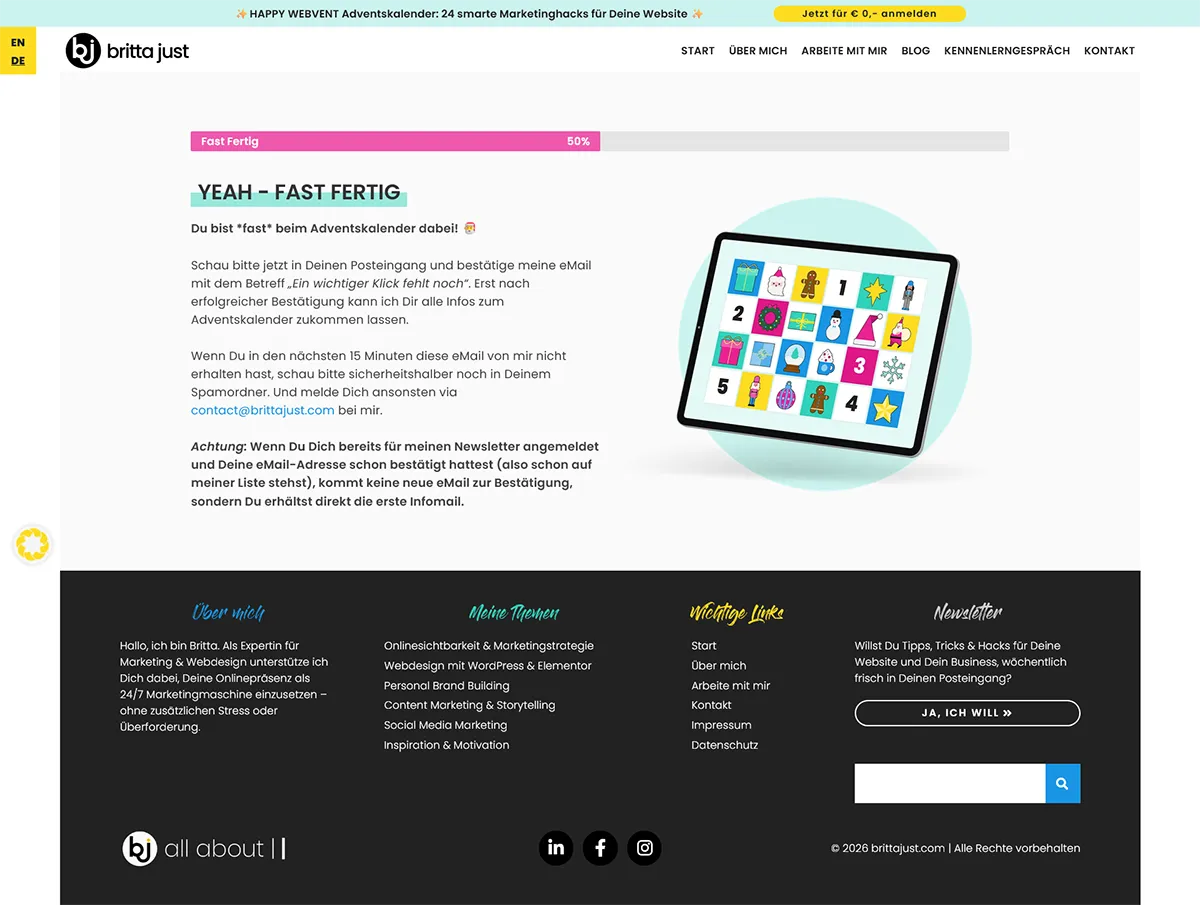
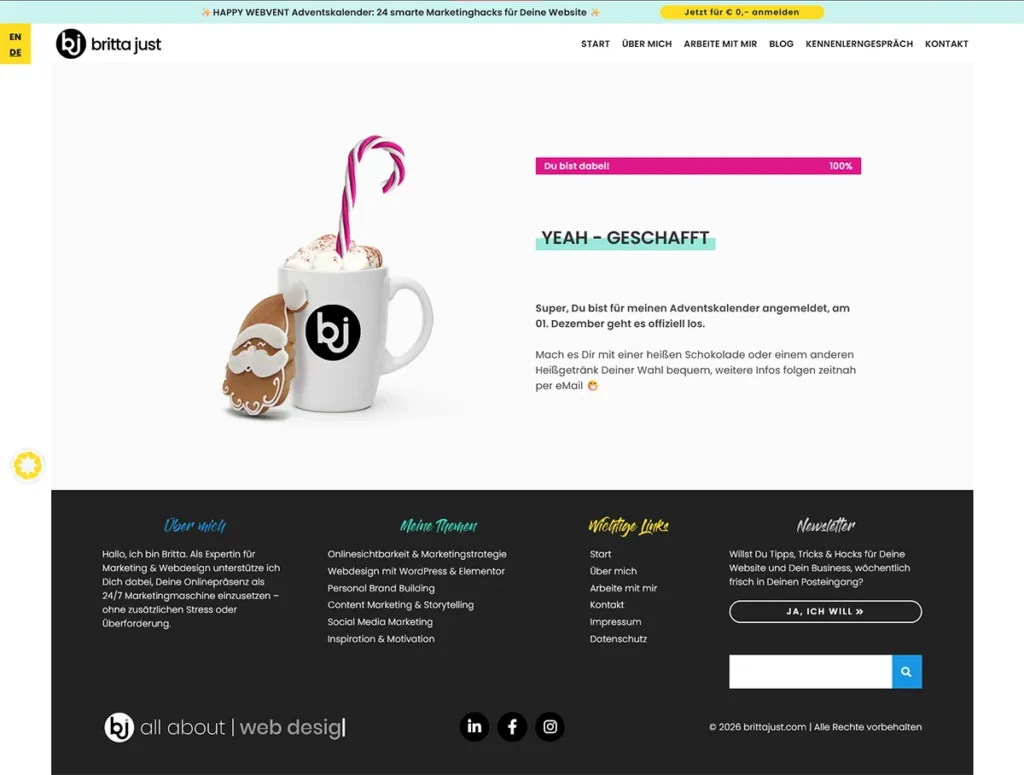
Once someone submits the form, they’re redirected to a “Nearly there!” page. Meanwhile, MailerLite takes care of sending the double opt-in email in the background. Only once they’ve confirmed their email address is their registration complete.
‘ve already covered which pages you actually need for your advent calendar and how to connect the signup process to MailerLite in more detail here:
- Which pages do you need for your online advent calendar?
- How to generate leads with your advent calendar
The advent calendar: 24 doors that open themselves
The centrepiece, of course, is the overview page with all 24 doors.
Each door is an image that automatically opens on its assigned day. No magic involved, just a rather handy feature: Dynamic Attributes.
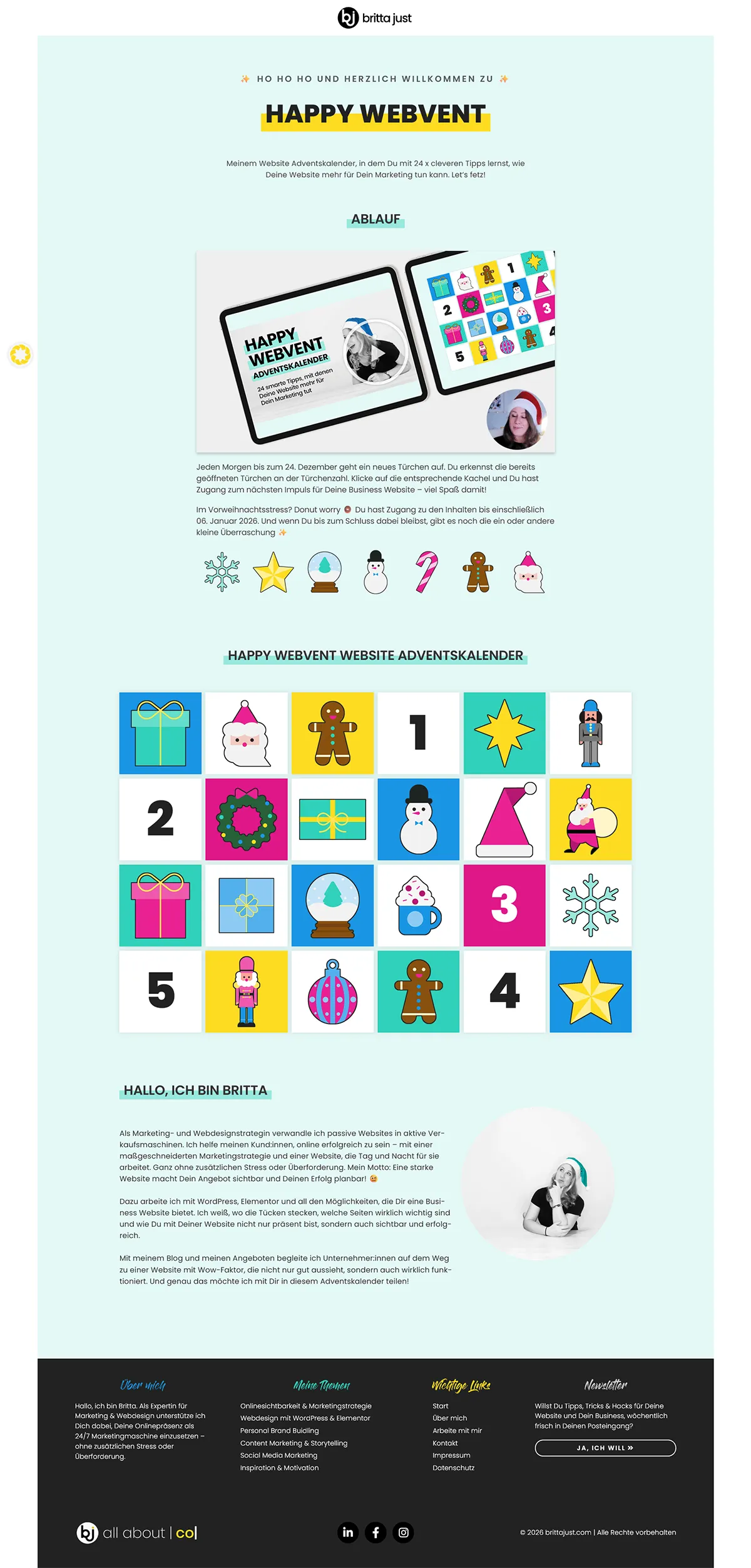
‘ve already covered which pages you actually need for your advent calendar and how to connect the signup process to MailerLite in more detail here:
- Which pages do you need for your online advent calendar?
- How to generate leads with your advent calendar
The advent calendar: 24 doors that open themselves
The centrepiece, of course, is the overview page with all 24 doors.
Each door is an image that automatically opens on its assigned day. No magic involved, just a rather handy feature: Dynamic Attributes.
I use them to control the visibility of individual elements based on the date and time. Once the scheduled moment arrives, the door becomes visible and the previous message disappears.
The whole thing works down to the minute in most cases. Which means that at midnight, the next door opens without me having to lift a finger.
Cinderella, eat your heart out. 🪄 The only difference is that nothing disappears at midnight on my website. Something new appears instead.
The individual door pages: build once, automate everything
Each individual door page follows the same basic structure. And here’s the best bit: it’s not just the doors themselves that are scheduled. The different content sections on each page are also shown and hidden automatically.
Here’s what a typical door page looks like:
- An info bar with breadcrumb navigation: So participants can easily hop between the different doors.
- The “Too early” section: For anyone who guesses the URL of a door in advance or tries to access it directly. They’ll see a little message telling them to come back later.
- The actual daily content: Depending on the topic, this might be a video, additional text, code snippets or other resources.
- The comments section: For questions, feedback and a bit of interaction between participants.
- The sidebar: With a little information about me. After all, not everyone taking part will necessarily know who I am.
- The “Too late” section: For anyone dropping by after the calendar has finished. They’ll find a note about the next advent calendar, including an option to sign up.

What’s particularly clever is the combination of scheduled access and the different content sections. Depending on when someone visits a door page, they’ll see a completely different version of it.
Before the scheduled opening time, the “Too early” message appears. On the actual day, it’s replaced by the daily content. And once the calendar has ended, the “Too late” section takes over.
All without me having to remember to switch individual elements on or off every single day.
Now that’s how I like it! 😁
What makes my advent calendar a little different
Beyond the technical setup itself, I’ve made a few decisions over the years that have worked really well for both me and my participants.
Longer access instead of door-opening deadlines
All content remains available until and including 6 January (Epiphany, or Three Kings’ Day). That way, anyone who doesn’t have time to check in every single day during December can catch up at their own pace over the Christmas break.
Because, let’s be honest: who needs yet another appointment in their calendar during an already ridiculously busy festive season?
Daily emails or a weekly round-up?
When it comes to email communication, I let participants choose what works best for them. They can either receive a daily reminder when a new door opens or opt for a weekly round-up instead.
After all, I want my advent calendar to bring a little joy, not add even more noise to an already overflowing inbox.
At Happy Webvent 2025, only around 6.5% opted for the weekly version. But I’m still happy to offer the choice, especially as the additional technical effort involved is fairly minimal.
Vimeo for videos, rather than hosting them directly on my website
I host all my videos on Vimeo. This isn’t just about the technical benefits. It also gives me detailed insights into how people actually use the content.
For example, I was able to identify the three most-watched videos from Happy Webvent 2025 and then send them out as a little Christmas present to the rest of my newsletter subscribers.
A lovely way to give content I’ve already created another lease of life.
Content without the Christmas decorations
One little quirk of mine: I deliberately record my videos without any references to the advent calendar and without Christmas decorations in the background.
Why? Because I want to be able to reuse the content elsewhere later on. A useful tip for improving your website is just as relevant in March as it is in December.
So I can easily use individual videos in blog posts or newsletters without having to worry about Santa hats and Christmas trees getting in the way.
What full automation actually gets you
Building a fully automated advent calendar is certainly an interesting technical challenge. But it’s one that’s well worth taking on.
On the one hand, I’m providing my participants with 24 days of valuable content. On the other, I’m creating content that keeps working for me long after December is over. Not a bad combination, if you ask me.
And the numbers are pretty encouraging, too. Happy Webvent 2025 attracted a total of 214 signups. Around two-thirds of those were completely new contacts who weren’t on my newsletter list before.
That’s one of the big advantages of using an advent calendar as a marketing tool: you get to reach people who may never have come across you or your work before, and you have several weeks to start building a relationship with them.
But for me, the biggest benefit of full automation lies somewhere else entirely: over the years, I’ve built a technical framework that I can reuse again and again.
The landing page, overview page, door templates and email automations are already there. For a new advent calendar, all I really need to do is swap out the content, update the dates and tweak the email copy.
Once everything is properly set up, it saves me a considerable amount of time and quite a few headaches every single year.
And that’s exactly what Work smarter, not harder means to me: stop starting from scratch every year. Invest in a solid structure once, then reap the benefits time and time again.
Fancy doing this yourself?
Would you love to create your own digital advent calendar on your WordPress website with Elementor, but the thought of dynamic content, scheduled access and email automation is already making your head spin?
Don’t worry. You don’t have to reinvent the wheel yourself.
If you’d rather have someone take care of the technical implementation for you, book a no-obligation discovery call with me. We’ll have a chat about your plans and how I can help bring them to life.
More from my advent calendar series
This behind-the-scenes look is part of my extensive blog series about digital advent calendars. If you’re planning one of your own, you’ll find plenty of inspiration and practical tips here – from your very first idea right through to promoting your calendar.
👉 Explore all the posts in my advent calendar tips series
And now I’m curious: have you automated your own advent calendar, or are you planning to do so? How have you tackled the technical side of things? I’d love to hear about it in the comments!