Landing page, thank-you page, calendar overview, little doors to open… Find out which online advent calendar pages you need, plus an AI prompt for all your copy.
Ho, ho, ho! Christmas Eve is just over two months away, which means advent season is creeping up on us at an alarming rate. You’re making proper progress: You’ve settled on a theme for your advent calendar and decided to host it on your own website, combined with your email marketing tool. A good choice, if you ask me 😊
But which pages do you actually need to make your online advent calendar happen?
The ultimate guide to building your advent calendar pages
When it comes to chocolate advent calendars, one little door rarely comes alone. The same goes for the digital version. But donut worry 🍩 – it’s all pretty manageable, and I’m going to take you through each page individually.
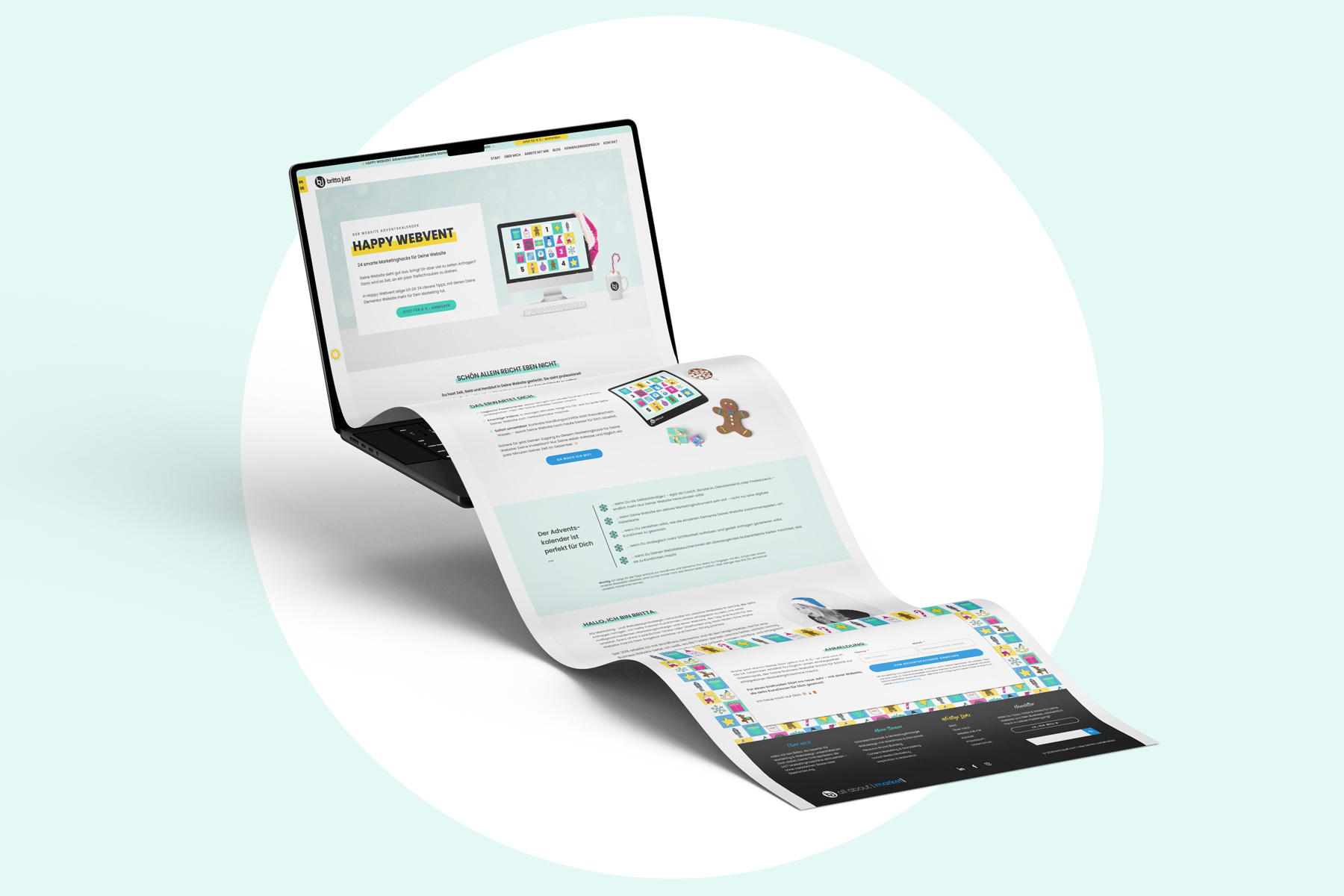
The landing page
Think of this as your friendly invitation to visitors and their first point of contact with your advent calendar. So, what should you include?
- An appealing title for your advent calendar
- A short, snappy description of what it’s all about
- A little teaser about what subscribers can look forward to and what they’ll get out of taking part
- Perhaps a section explaining who the advent calendar is for – and who it might not be for
- A short introduction to you (because even if you have a network helping you spread the word, not everyone signing up will necessarily know who you are)
- A sign-up form connected to your email marketing tool, so you can automate the first part of the process
- And if this isn’t your first advent calendar, you might have a few lovely comments from previous participants to share
The goal of your landing page is to attract potential participants and get them curious enough to sign up.
What happens behind the scenes? While interested visitors are redirected to the Almost There page, their details (name and email address) are passed on to your email marketing tool. Before they can be marked as active subscribers, an email containing a double opt-in confirmation link is sent to the address they’ve provided. They need to click that link to confirm that the person who entered the email address actually has access to it and has authorised the subscription.
And that’s how you turn your advent calendar into a proper lead magnet.
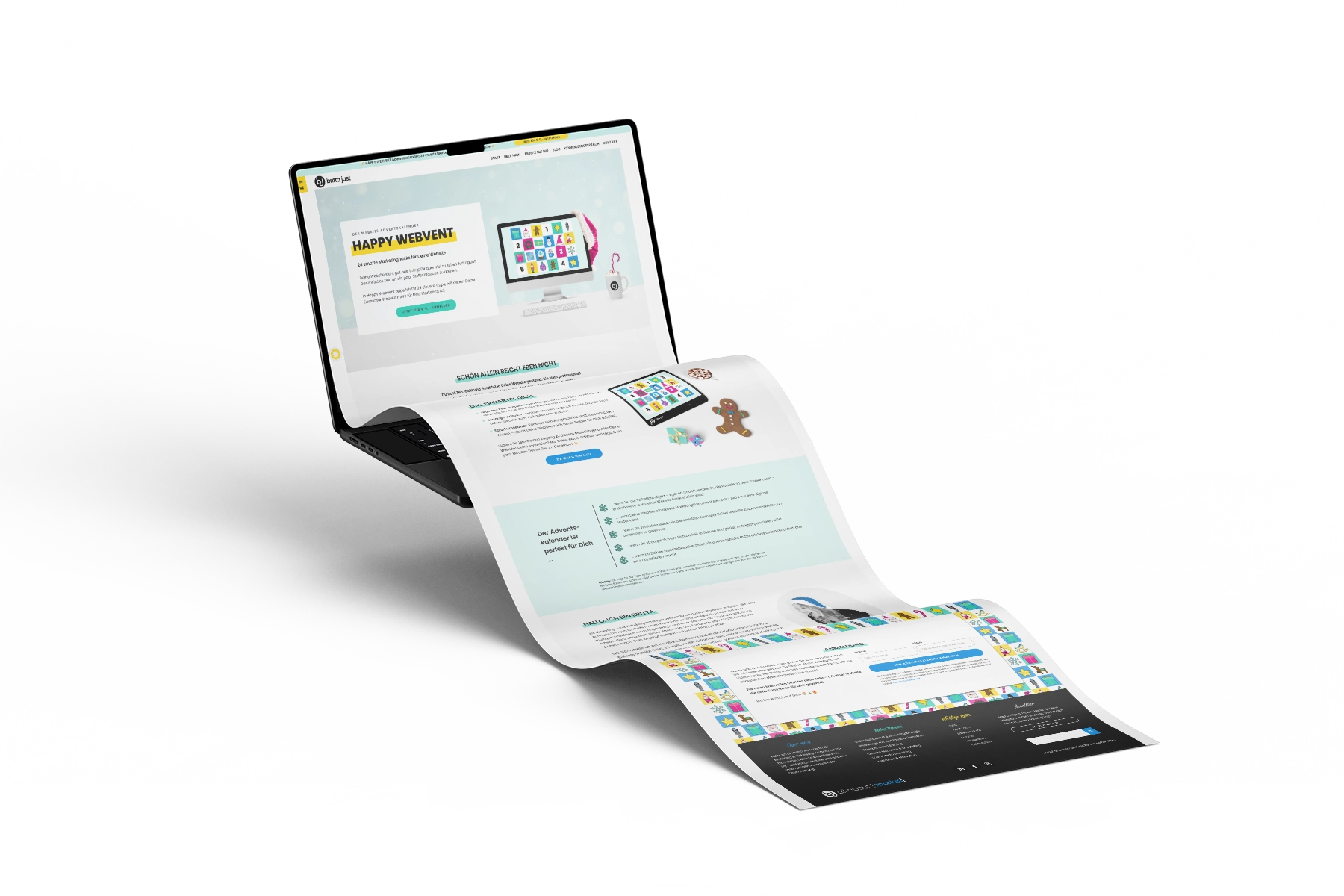
You can see what a landing page like this might look like on my own advent calendar website, HAPPY WEBVENT. Or take a look at the landing page I created for my client Gabriele and her advent calendar, Familienzeit im Advent, which has only just gone live. Both landingpages are in German.
The almost done page
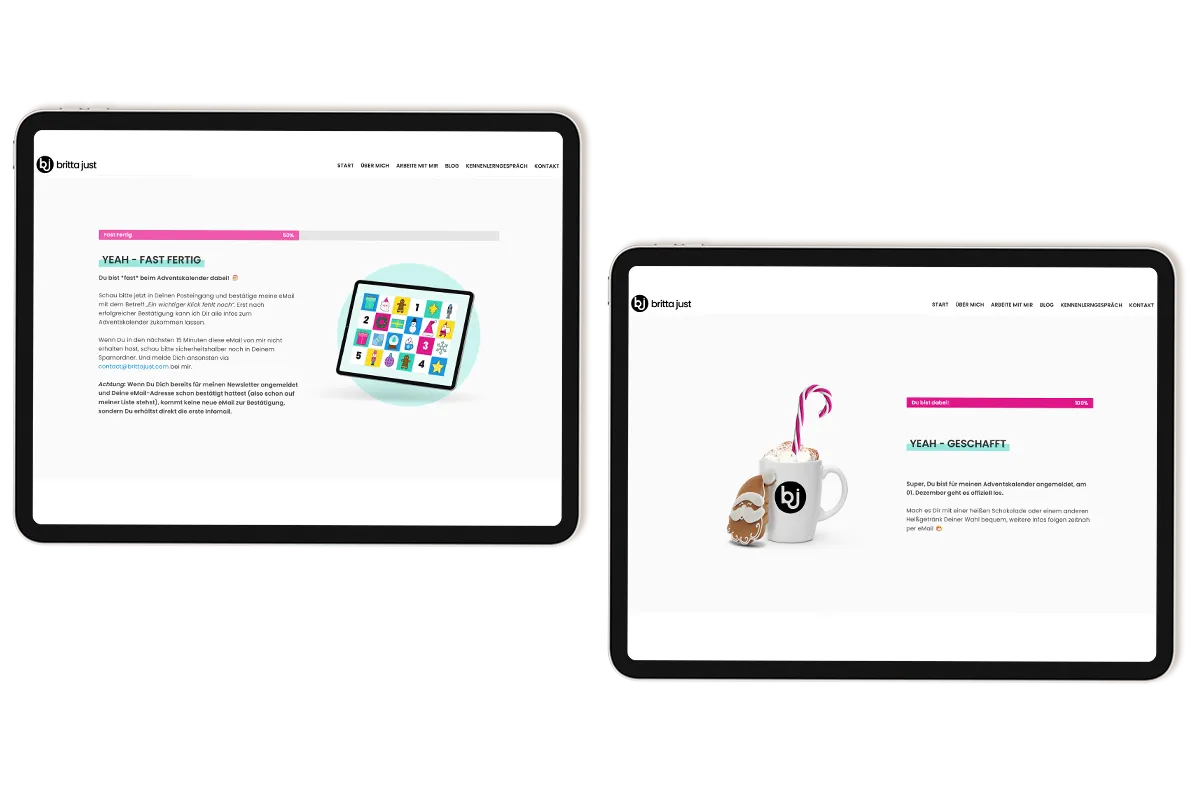
While all of this is happening behind the scenes, visitors are redirected to another page after submitting the sign-up form. I’m a big fan of taking people along for the ride and explaining what’s happening, rather than leaving them wondering whether anything actually worked.
So, once they’ve successfully submitted the form, send them to this first information page. What should you put on it?
- A friendly confirmation, such as: “Lovely to hear you’re interested in my advent calendar!”
- A reminder to check their inbox and confirm the double opt-in if required. It’s also worth mentioning that they might not receive another confirmation email if they’re already on your newsletter list.
- Perhaps a funny GIF or a photo of you wearing a Santa hat?
- Keep it short and to the point.
This page is important for two reasons: It reassures visitors that their sign-up has gone through, and it tells them that there’s still something they need to do before their participation is officially confirmed.
Not so fun fact: This is a legal requirement in Germany. Funnily enough, it’s not down to the GDPR, but rather the German Act Against Unfair Competition (Gesetz gegen unlauteren Wettbewerb). If that’s not relevant to you, you can skip straight to the thank-you page.
The thank you page
Once visitors have confirmed their double opt-in via email, they’re redirected to the thank you page. Depending on which email marketing system you’re using, this could be a dedicated page that specifically welcomes them to your advent calendar. Alternatively, it might be a fairly neutral page that you also use for your other newsletters and freebies.
What should go on this page?
- For a general thank you page: Thank them for confirming their subscription and let them know that further information will arrive by email.
- For a dedicated advent calendar page: Give them a cheerful welcome and let them know they’re now officially signed up and ready to take part.
- A quick overview of what happens next, such as: “From 1 December onwards, you’ll receive an email every morning with a link to a new door to open.”
- Perhaps a little teaser to get them excited about what’s coming. “Here’s something to look forward to…”
At the same time, you can set up an automation in your email marketing tool that sends an email as soon as new participants are marked as active on your advent calendar list. Use it to recap the most important information and perhaps introduce yourself again, sharing a little of your story or a few fun facts about you.
Pro tip: Once your advent calendar has officially started, adjust the automation so that anyone signing up after the launch is directed straight to the overview page, where they can catch up on the doors they’ve missed.
And there you have it: The advent calendar pages you need to get started with promoting your calendar. Happy promoting! ✨
Is that it, then? Not quite. Now we’re getting to the really interesting bit.
The advent calendar overview page
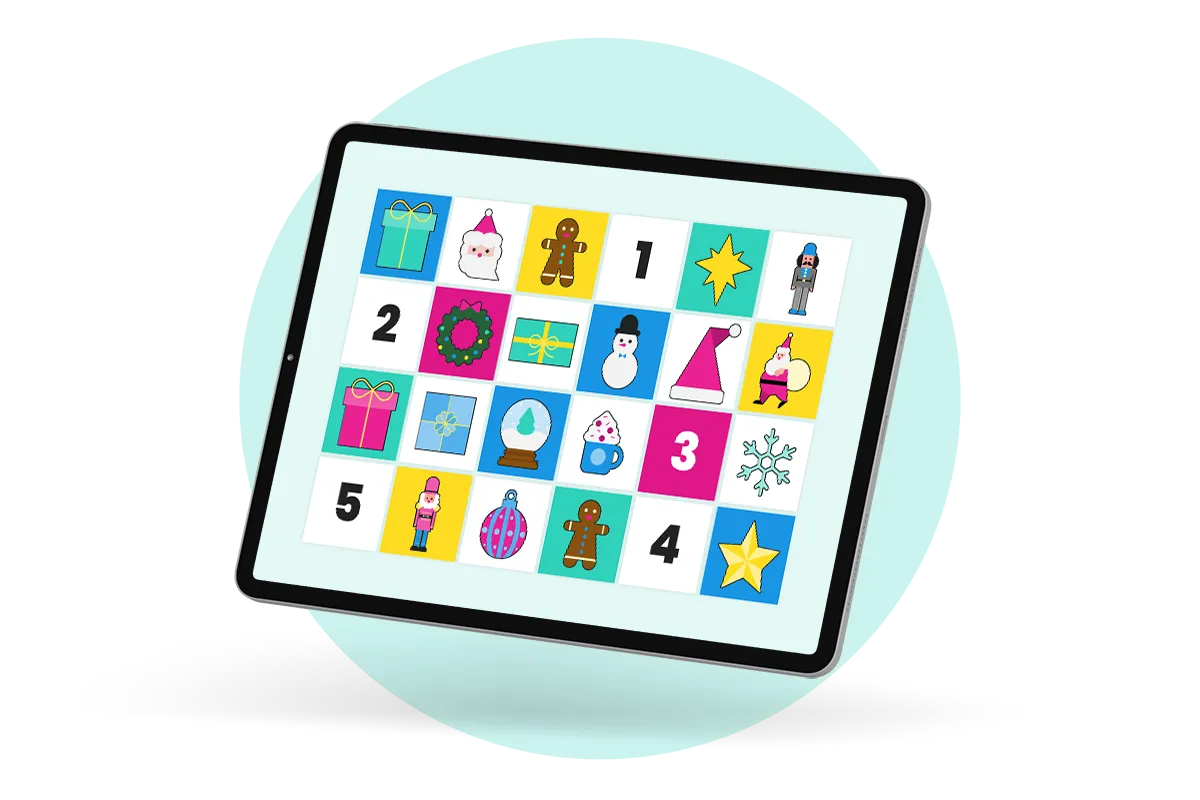
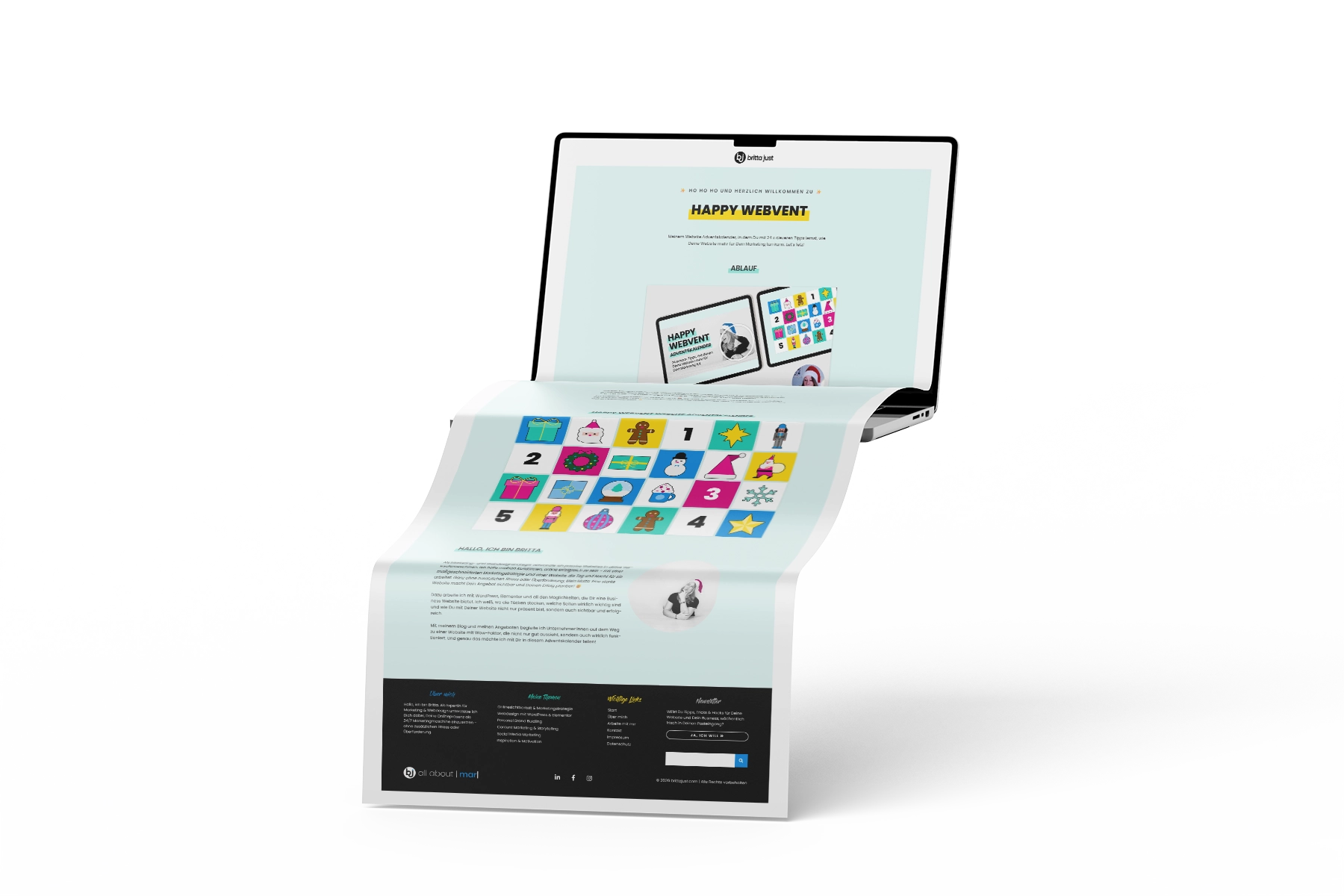
This is the heart of your digital advent calendar. Think of it as a collection of 24 beautifully wrapped presents waiting under the Christmas tree. Each door takes participants to a new surprise. So, what belongs on this page?
- A clear, easy-to-follow layout
- All 24 clickable doors
- If you fancy it, a personal video message in which you briefly explain how the next 24 days will work and what participants can look forward to
- If your calendar needs a little explaining (perhaps because you’re using a specialised platform or an unfamiliar format), a short FAQ section can be a good idea. It’ll save you from having to answer the same questions over and over again. 🙂
Pro tip: Make it interactive! In keeping with the traditional advent calendar experience, keep the doors visually “closed” at first and reveal them one by one each day. Watching a new door open every morning adds a little extra excitement and keeps people coming back.d öffne sie Tag für Tag. So hältst Du die Spannung, wenn sich jeden Morgen auch visuell ein Türchen öffnet.
The individual door pages
Now we’re getting to the actual content of your advent calendar. Each door leads to its own piece of content – that’s 24 surprises in total to delight, inform, entertain and generally spoil your participants.
So, what exactly should you put on these pages?
- The content of the day, whether that’s a video, a blog post, a recipe, a meditation or whatever else you’ve come up with
- Perhaps some accompanying text, additional links and so on
- Clear navigation, so participants can easily return to the overview page or move on to the next door
- Maybe a comments section, allowing you to collect direct feedback from your participants
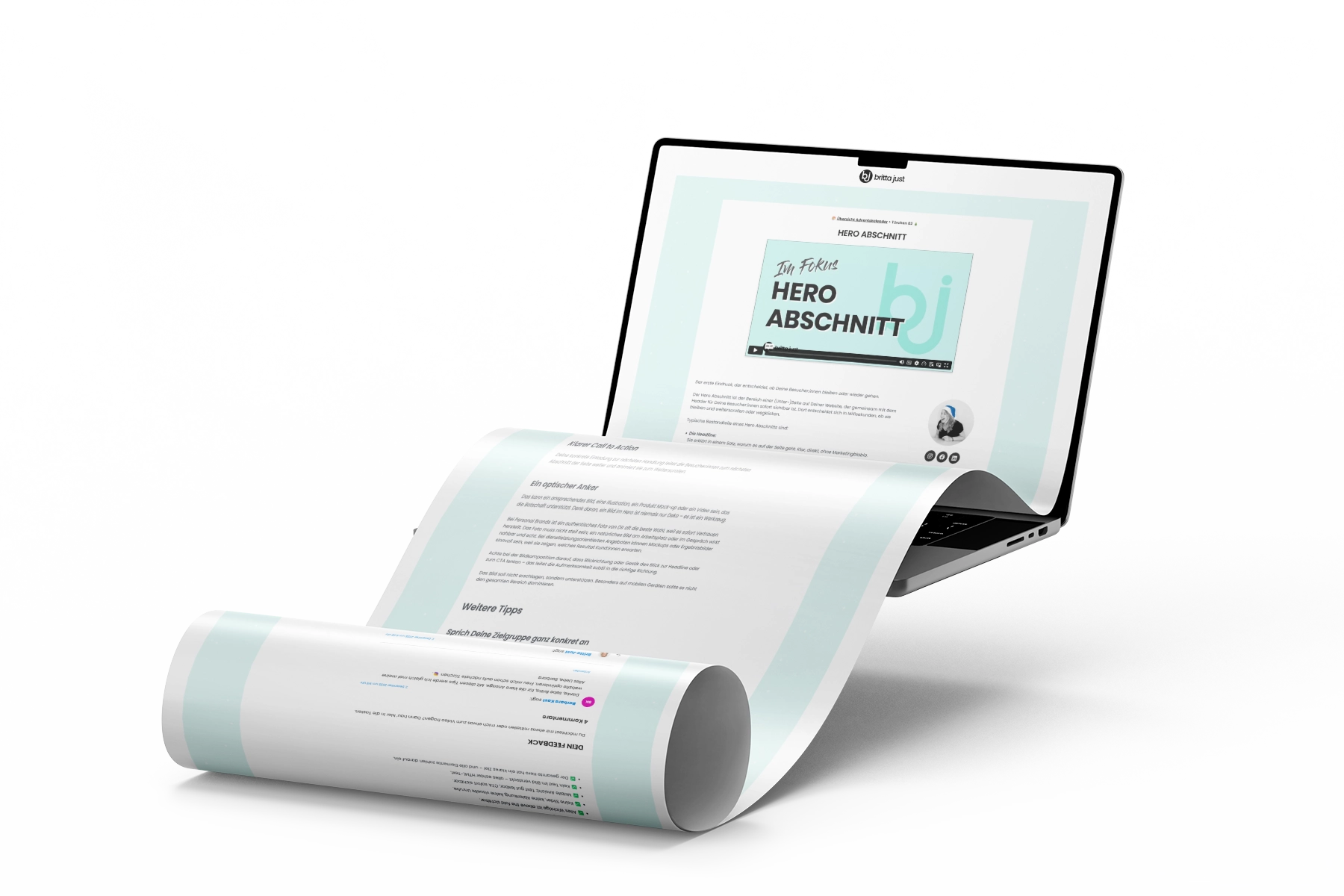
Exactly where you put the individual pieces of content is entirely up to you. You could create 24 separate subpages, publish them as blog posts, use pop-ups or set everything up as lessons in a course area. It all depends on your particular set-up.
If you’d like to add a little more personality to your advent calendar pages and individual doors, here are two additional sections you could include.
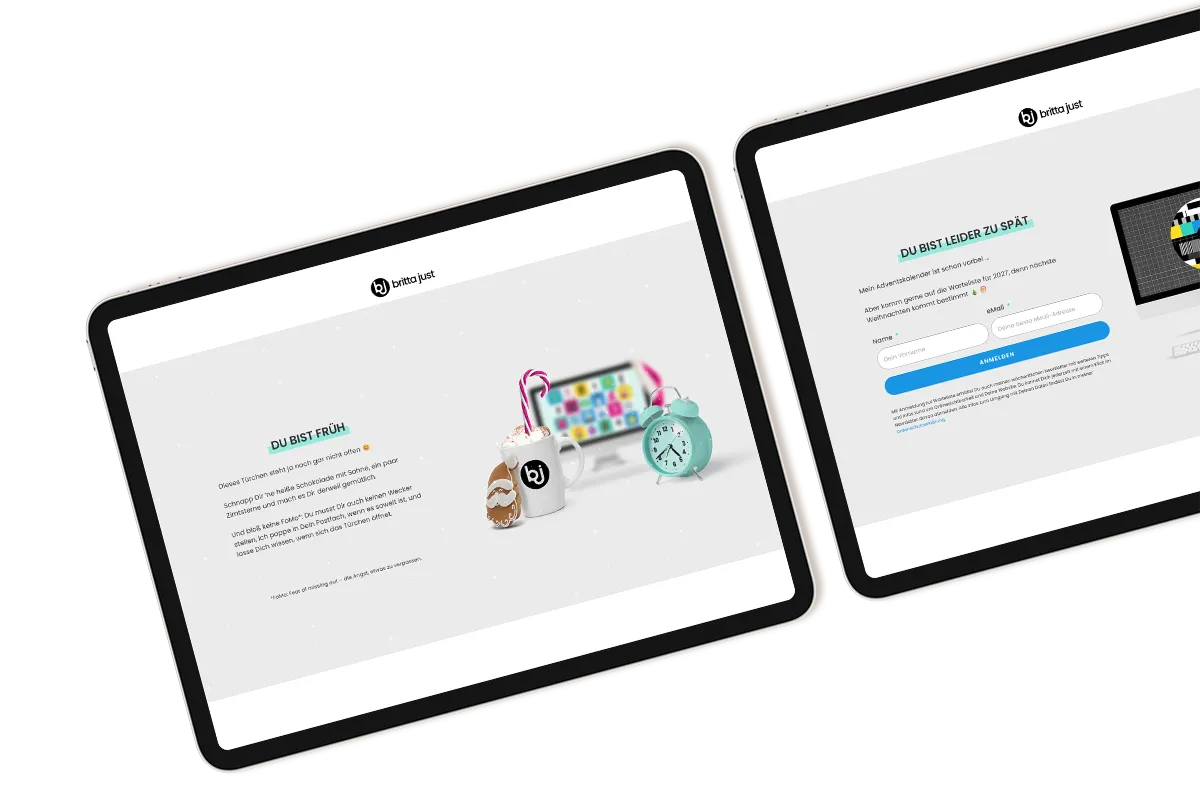
The “too early” section
Imagine some of your participants getting so excited that they simply can’t wait to see what’s behind door number 24 and try to open it on 1 December. Tsk, tsk!
For situations like this, you can set up an automated “You’re a bit early!” section that appears before the actual content is available. It gently but firmly reminds visitors that they’ll have to wait a little longer. Something along the lines of: “Oops! You’re faster than Santa! This door won’t open until [date].” You could even add a countdown to the big day.
Here’s how simple one could look:
The “too late” section – with a waiting list
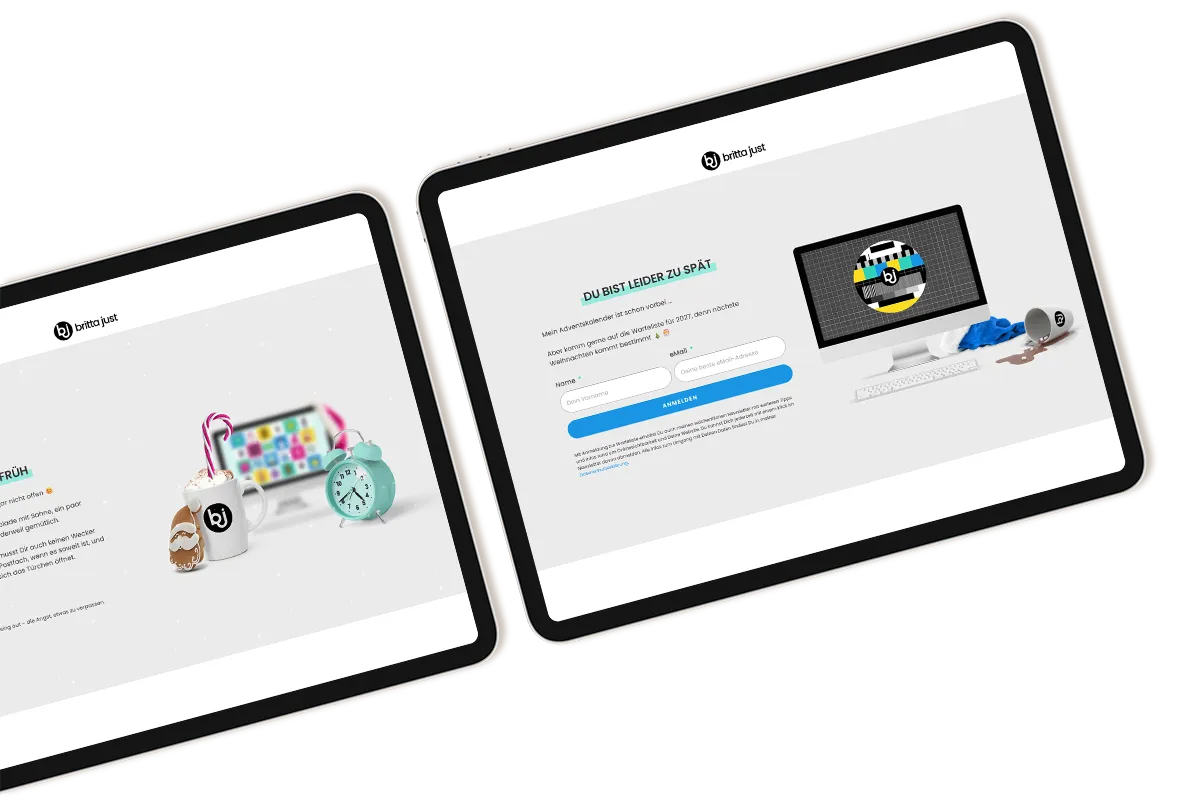
Depending on how long you want your advent calendar pages to remain available, you can add a “Sorry, you’re too late!” section to each door. This section becomes active once a specific date has passed.
I usually keep my advent calendar available until and including 6 January (Three Kings), giving everyone who wants to use the quieter days between Christmas and New Year a chance to work through the content at their own pace.
After that, anyone clicking on a door will only see the “Too late” section, along with an invitation to join the waiting list for next year’s advent calendar. 😉
Here’s what that could look like:
And that’s pretty much all the advent calendar pages you’ll need. Once they’re in place, you can start filling them with your content. Have fun!
Your AI prompt: Write the text for all your advent calendar pages
By now, you know which pages you need and what belongs on each of them. But knowing what to write and actually staring at a blank text field are two very different things.
That’s why you can let AI help you create the first drafts for all your pages. Simply copy the prompt below into your favourite AI tool and replace the details in square brackets with your own information.
You are my copywriting sparring partner, and your job is to write the copy for the pages of my online advent calendar.

My advent calendar topic:
[Title and theme of your calendar]

What participants can expect:
[Short description of the 24 doors and their contents]

My target audience:
[Who you want to reach]

My name and business:
[A short introduction to who I am and what I do]

My tone of voice:
[e.g. warm and friendly, addressing readers directly, humorous, professional]

Timeframe: Doors are available from 1 to 24 December, with the calendar potentially remaining accessible until 6 January.

Write draft copy for the following pages, clearly labelling each one:

1. Landing page: Title, snappy description, "What to expect", "Who it's for", a short introduction to me and a call to action for the sign-up form.

2. Almost done page: A friendly confirmation message, plus a reminder to check the inbox and confirm the double opt-in.

3. Thank you page: A welcome message after confirmation and a brief overview of what happens from 1 December onwards.

4. Too Early section: A friendly message explaining that this door won't open until a later date.

5. Too Late section: A message explaining that the calendar has ended, along with an invitation to join the waiting list.

Keep the copy short, specific and in my tone of voice. Give me one version for each page that I can then adapt myself.
One final tip: Treat the AI drafts as a starting point and add your own personal touch afterwards. AI gives you the framework; your voice is what makes it yours. Otherwise, things can start sounding suspiciously like AI slop rather quickly.
And now, have fun filling those pages with your content! Is there a page you’re still missing, or do you have a question about any of this? Feel free to drop it in the comments 😊